License:
Trial version
Language:
English
Developer:
OS:
Mac OS X
Updated:
See detailed info

Softonic review

Nick Mead

“Add cool frames to your photos in Photoshop”

by Nick Mead about PhotoFrame

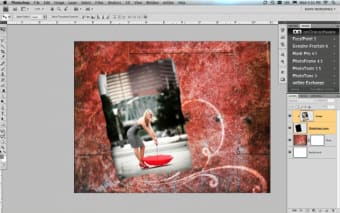
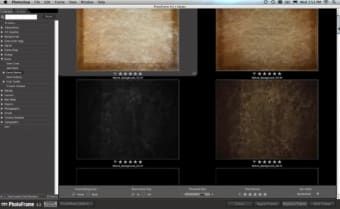
One thing that Photoshop doesn't really excel in is the creation of photo frames. PhotoFrame is a simple and elegant solution for creating an unlimited variety of professional-quality image frames and border effects within Photoshop.

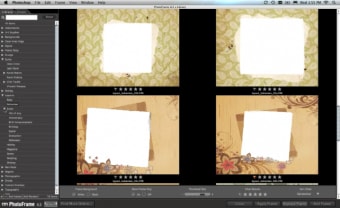
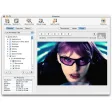
Many of the designs in PhotoFrame have been created by professional artists so the quality of frames available is pretty high. You can even combine them to create your own unique frames. You can preview frames as you go along, rotate them, increase border widths, trims and just about anything you want to do really. PhotoFrame only imports JPG files though as well as Auto F/X(tm) Photo/Graphic Edges.

PhotoFrame is suitable for both adults and children as it includes layouts for all abilities and ages. There are also many themed collections such as birthdays, graduation and holidays which makes it easy to add frames based on the subject matter of your photos. You can of course create your own frames completely from scratch too. PhotoFrame is always accessible within Photoshop courtesy of the onOne Panel which allows you to launch the application from within Photoshop.

For great frames within Photoshop, the latest version of PhotoFrame is just the job.

Pros
  • Stylish frames
  • Integrates with Photoshop
  • Suitable for all age groups
  • Lots of templates
Cons
  • Requires Photoshop
Download PhotoFrame 4.5.1

PhotoFrame is virus free

We have analyzed the latest version of PhotoFrame with 30 antivirus engines and it is virus free. See analysis results.

TESTED VIRUS FREE - Softonic GUARANTEED

Developer's description

There are many ways to add border and edge effects manually using a variety of tools in Photoshop. Regardless the method, none are easier or more fun to use than the all new PhotoFrame Pro 3. Whether you want something subtle, extreme or even a realistic looking frame and matte, there's no better way to add that perfect finishing touch to your photo than with PhotoFrame Pro 3.

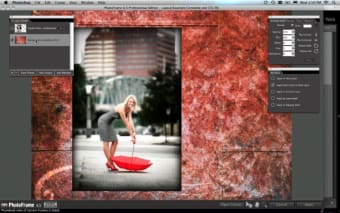
The new features in PhotoFrame Pro 3 will allow you to quickly and easily create amazing edge effects that complement your image. Every effect and option in PhotoFrame Pro can be previewed in real-time. So when you're adding a sublte drop-shadow to your image like the one here, you can visually adjust it and get it perfect the first time.

Review and rate PhotoFrame

Your avatar

Your opinion is important.
Help other users - be the first to review this program.

Review
  1. Maximum: 75 characters

  2. See example

Pros and Cons
Rate
  1. What rating would you give PhotoFrame?

    You need to fill in all fields

    • Usability:

      Not rated
    • Stability:

      Not rated
    • Installation:

      Not rated
    • Functionality:

      Not rated
    • Appearance:

      Not rated
    • Overall rating:

      Not rated
  2. Don't worry, we won't make your email address public.

You're not allowed to share serial numbers, cracks, etc. or link to pages that contain them. If you do, your user account will be deleted, your IP address logged and legal action will be taken.

Get started - just ask a question!

Write a title for your question.

Alternativesto PhotoFrame

Compare with PhotoFrame
Download rank: Plug-ins, Filters & Effects

6 of 57

Softonic rating:
  • Very good
  • 8/10
User rating: (1 rating)
  • Not good
  • 2/10
Your rating:
Your rating
  • 0

Review and rate this program

Top Downloads: Plug-ins, Filters & Effects

  • United States
  • Global

  1. Open and edit RAW images in Photoshop

Reviews of PhotoFrame in other languages